Build Etsy variants from Printify in minutes — not hours.
Stop copying sizes, colors, SKU and prices by hand. Capture your product data from Printify, then generate clean, structured variations on Etsy.
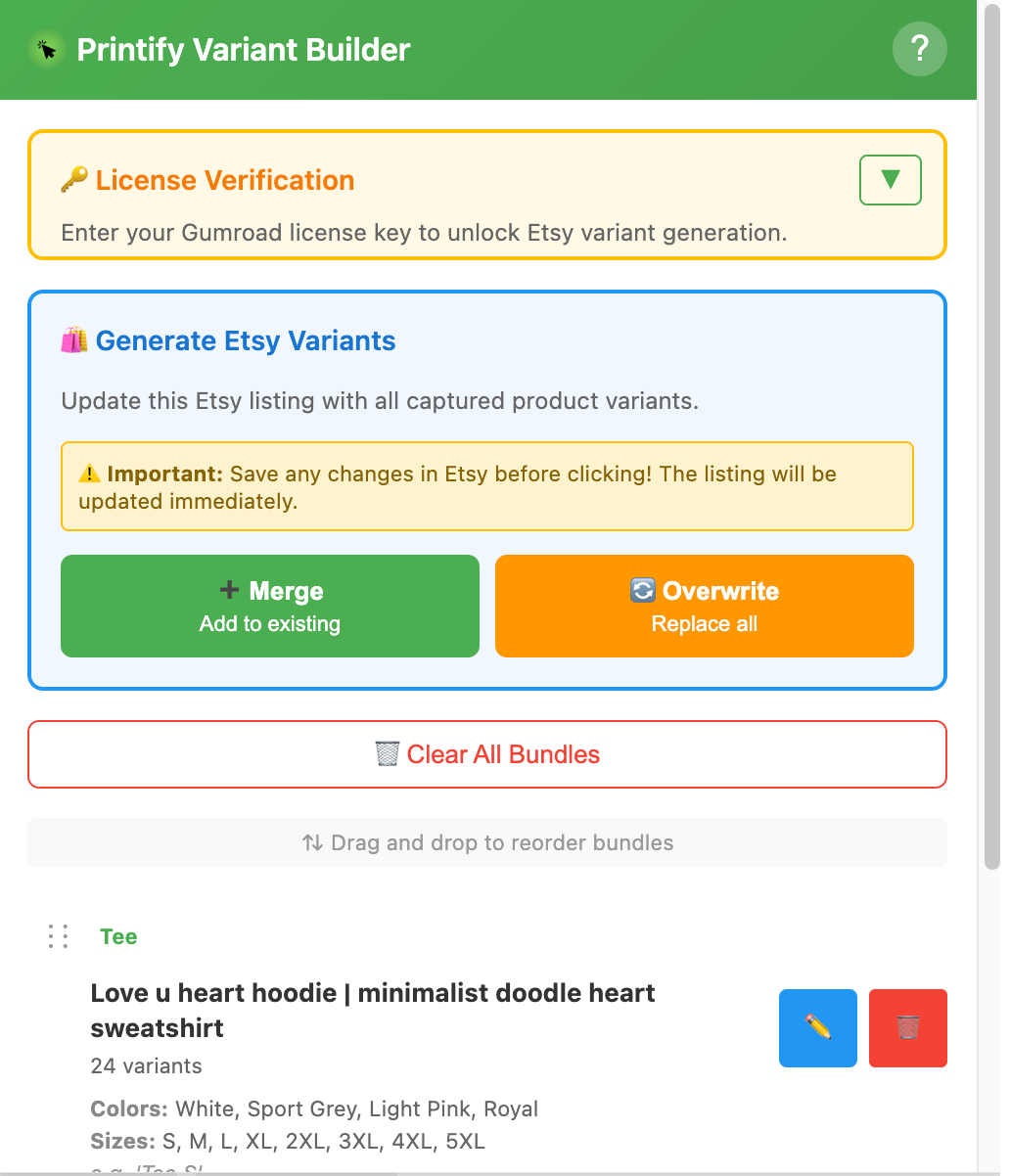
Everything you need to avoid manual variant work
It’s a simple Chrome extension with one job: help you capture variant data once, then generate it consistently on Etsy.
Capture product data from Printify
Collect product type, sizes, colors, SKU and price right from the Printify product details page.
Organize products into bundles
Build your bundle in the extension popup before you touch your Etsy listing.
Generate Etsy variations (DOM mode)
On Etsy’s listing editor, generate variations using the page UI — no Etsy API required.
Merge or overwrite options
Choose whether to add missing options or replace existing variants entirely.
See it in action
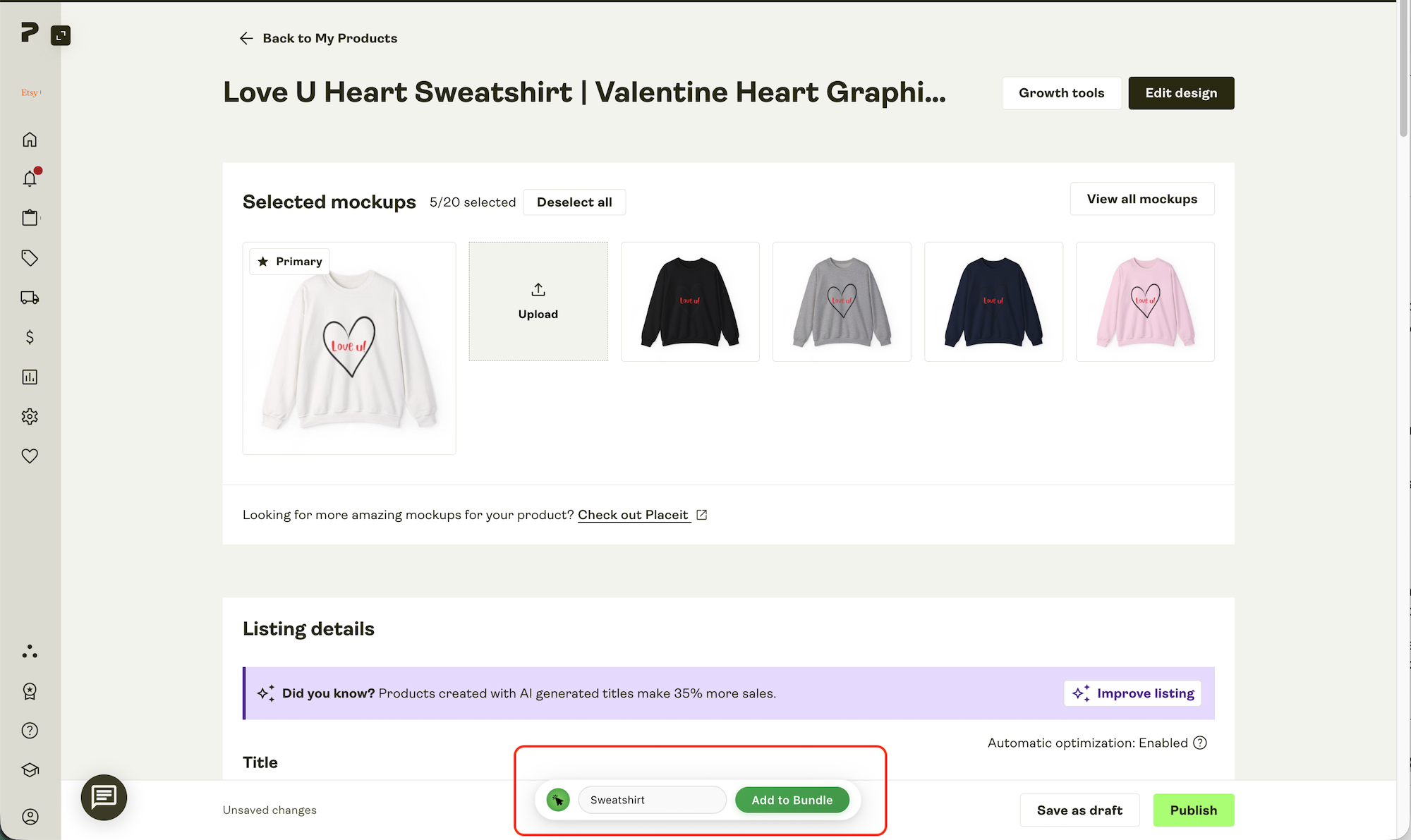
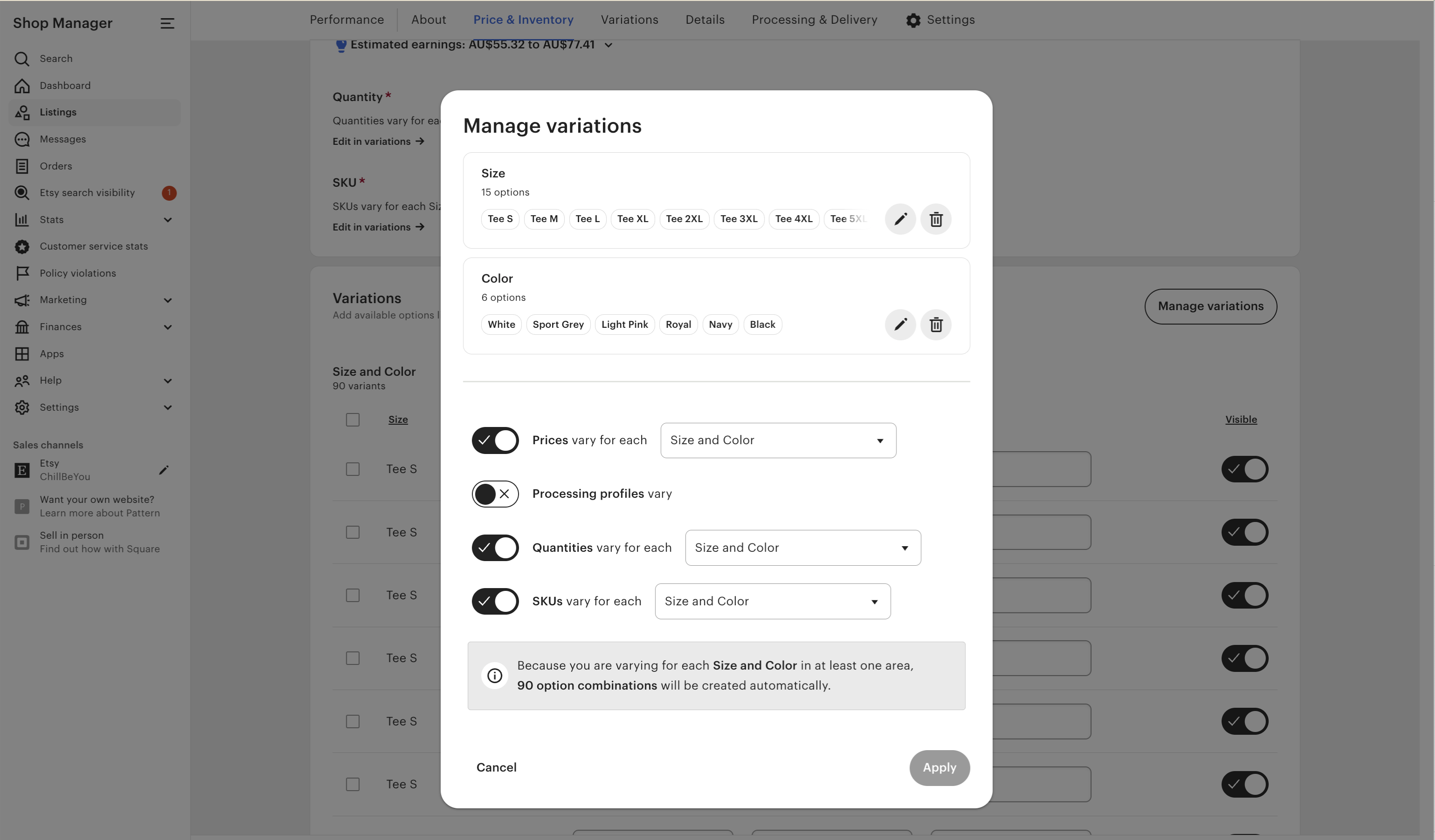
Add a quick demo video here. Below are example screenshots of the capture flow and the generated variants.
How it works (simple workflow)
Capture on Printify, then generate on Etsy. That’s it.
Open Printify product details
Go to a product’s details page on Printify.
Click “Add to Bundle”
The extension collects product type, sizes, colors, SKU and price, then stores it in your bundle list.
Generate variants on Etsy
Go to the Etsy listing editor and choose Merge or Overwrite to update variations.
Clean, predictable variant structure
When generating variants, the extension aims for a consistent setup so your inventory table stays readable.
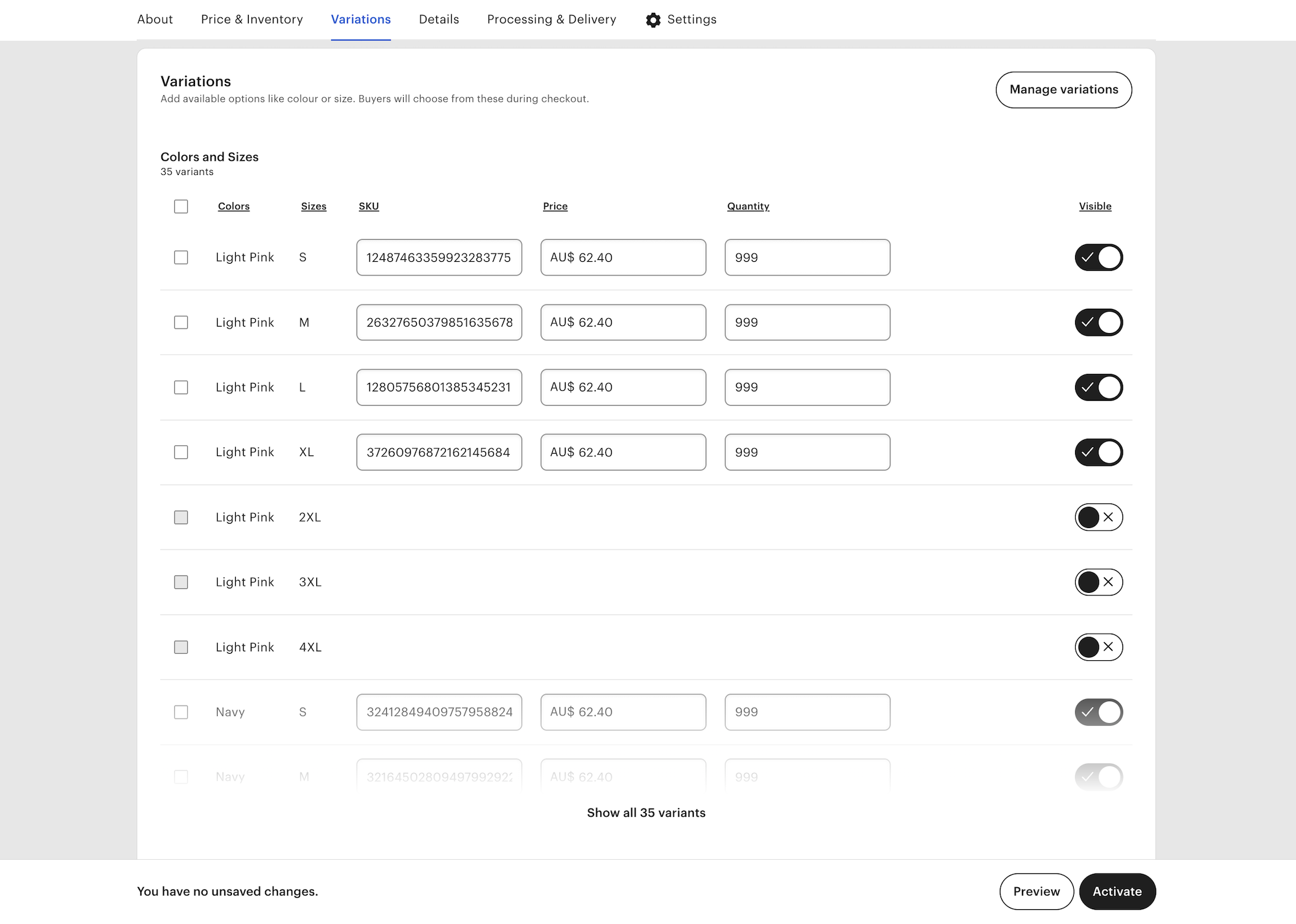
Variant 1: Product type + size
Example: “Unisex Tee – M”, “Unisex Tee – L”.
Variant 2: Color
Example: “Navy, Red, Black” (displayed as separate options).
Start with a 3‑Day free trial
If you list multiple products per week, this usually pays for itself fast.
Printify Variant Builder
Includes the Chrome extension + license key, updates, and support.
- Chrome extension license key
- Capture Printify product data (sizes, colors, SKU, price)
- Generate Etsy variants (merge or overwrite)
- Free updates + email support
Note: This tool uses the Etsy listing editor UI (DOM automation). Always save your listing before running merge/overwrite.
FAQ
A few common questions before you start.
Does this require the Etsy API?
No. The extension works directly within Etsy’s listing editor interface using a browser-based automation method. It does not require API access or external app authorization.
We chose this approach because many sellers prefer not to grant additional third-party permissions. By running as a Chrome extension, everything operates within your own browser session.
If Etsy changes its interface in the future, adjustments may be required to maintain compatibility.
What pages does the extension work on?
The “Add to Bundle” button appears only on Printify product pages that match https://printify.com/app/product-details/<productId>. Etsy actions appear only on the listing editor edit page.
Merge vs Overwrite — what’s the difference?
Merge tries to add missing size/color options.
Overwrite clears existing variations first and then rebuilds from your bundle.
Will this change my live listing?
It changes what’s in the listing editor page you have open. Save your work first, and review the variations after generation.
What happens if one color or size is not available?
If a specific color or size isn’t available, that variant will simply be disabled by default.
Where can I get help?
A user guide will be sent with your purchase. For troubleshooting, please check the guide first, then reach out if you can’t find a solution. Email support: support@ymhung.tech. You can also check the Support page.
Ready to save time?
Start your free trial and generate your next listing’s variants in minutes.
Disclaimer: Printify Variant Builder is not affiliated with Etsy or Printify.
Printify Variant Builder helps automate Etsy variant generation for print-on-demand sellers using Printify. It supports bulk option creation, SKU auto-fill, and structured inventory setup.